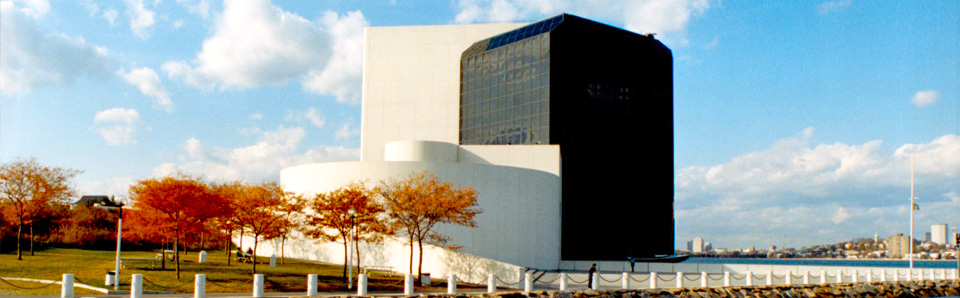

My last post about the digital preservation effort going on at the John F. Kennedy Presidential Library and Museum covered the four basic EMC products working in concert with each other: Documentum, CLARiiON, Centera, and Legato.
From the archivists’ point of view, Documentum is their workhorse. They know that CLARiiON, Centera, and Legato are humming away back there doing something cool, but it’s all taking care of itself (until they fill it up, which they’ve done twice already!).
So how exactly is Documentum being used? I’m about to tell you. And quite simply, it’s being used to create one thing.
An Archival Information Package.
I described AIPs in a previous post. I explained that the archivists at JFK define an individual archival information package as the digitally scanned contents of an individual folder. There are literally hundreds of boxes filled with these folders. Each folder results in an AIP.
An this AIP maps beautifully into Documentum’s workflow. Here’s how it’s done.
Scanning with Documentum “Image Capture”
The JFK Library employs interns to handle the majority of the initial scanning process. A folder is selected for scanning, and the Documentum product known as ApplicationXtender Image Capture is started. Image Capture is already aware of the scanner (a Fujitsu fi-5750C), and the user (e.g. an intern) is prompted for a “Batch ID”. The number written on the label of the folder is then entered as the Batch ID (e.g. JFKPOF-001-001).
And then the scanning process begins. Each page, leaflet, booklet, photograph, etc., is scanned in the exact order that they are found within the folder. The person performing the scan is not permitted to enter any additional metadata other than the Batch ID (these permissions were set up using Documentum’s AppGen tool). Quality control procedures are in place for every item scanned. Is the image legible? Was it tilted? Was there a fold or crease? If so, Documentum allows for easy rescan/replace for any given item.
What happens if a photo (or other artifact) was removed from the folder? Library policy is to put a placeholder in the exact location within the folder. For pictures, the placeholder is a photocopy of the original. This placeholder is scanned in as part of the batch, and the folder is “marked” with an acid-free paper tab for later processing.
When the entire folder has been processed (including verification of digital images as “high quality”), the batch is “closed”, and the digital archiving of the next folder can begin.
In summary, the JFK Library assigns a unique identifier to the Archival Information Package via Documentum’s Image Capture software. This occurs during the ingest process.
Metadata Cataloguing with Documentum “Document Manager”
At this point the metadata cataloguers at the JFK Library need to establish additional metadata (such as OAIS Content Information and related Preservation Description Information) into the archive.This is again accomplished using a Documentum tool known as ApplicationXtender Document Manager.
A metadata cataloguer opens Document Manager and views the “Index List”. Recall that Documentum AppGen prevents unauthorized edits of the metadata (e.g. the intern scanning the documents is prevented from using Document Manager). The “Index List” contains the list of all folders that are not fully processed. The cataloguer “opens” an item in the index list and Document Manager allows access to all the items scanned from that folder. At this point the cataloguer can retrieve any artifacts that were removed from the folder by retrieving these items from elsewhere in the library. These items are scanned, and Document Manager allows for easy “replacement” of the photocopy with the original.
The metadata process begins. Metadata is primarily attached to “folders” (there are exceptions to this rule, e.g. photos, covered below). Metadata is added in three forms:
- NARA-Compliant Metadata: The JFK Library has programmed Documentum to create NARA-compliant metadata. Document Manager displays the NARA-compliant metadata as empty fields; the cataloguers fill these fields in appropriately. The completed index fields are now associated with the AIP.
- Dublin Core HTML: The JFK Library has created a Microsoft Word template of an html document. This html template contains user-friendly, descriptive Dublin Core elements representing the entirety of the folder. These fields are filled out by the metadata cataloguer. Some of the items are straightforward and represent fields required for an Archival Information Package (for example, Representation Information). Some of the items depend on the cataloguers knowledge of history (e.g. these items are related to the “Cuban Missile Crisis”). Once the HTML is complete, it is imported into the AIP via Document Manager.
- Dublin Core XML: In addition to the HTML Dublin Core metadata, XML metadata is generated which is a super-set of the HTML (it includes extra administrative and technical elements). Storing the content in XML will allow for flexible display of the contents during the dissemination process. The XML is also imported into the AIP.
Once metadata has been added at the folder-level, what about the individual document level?
Optical Character Recognition (OCR) Metadata via Documentum
Manual addition of meta-data at the document level is unrealistic for such a large project. The JFK Library is not “cherry-picking” so-called “important documents”; they are scanning everything. Fortunately, Documentum has the ability to add document-specific metadata to the AIP via the OCR capabilities of Document Manager. The system has been configured to integrate with Verity software, and document-specific metadata is added using this feature (more detail about the Verity integration in an upcoming post).
Should there be photos in the folder, the cataloguers do attach additional, manually entered metadata. The form of this metadata is exactly the same as the folder metadata (NARA, Dublin Core HTML, Dublin Core XML). In this way future researchers can use search terms to find photographs of specific individuals associated with President Kennedy.
Documentum Workflow
The JFK archivists have set up a workflow using Documentum Manager’s workflow capabilities. Interns scan documents into a batch, the batch gets put into an Index List, and states have been created such as “Record Reviewed”, “Record Complete”, and “Data Complete”. The flow of the process is true to the SIP->Ingest->AIP functional model suggested by OAIS.
It will be quite a day when the “list” is empty and there are no folders left to scan. I would like to be invited to that party. ;>)
Diagramming The Hardware
One of the reasons that Documentum is so effective at implementing OAIS is that the configuration of the underlying hardware is providing speed, reliability, data integrity, and a hands-off capacity upgrade strategy. More on the hardware configuration in a future post.
Steve