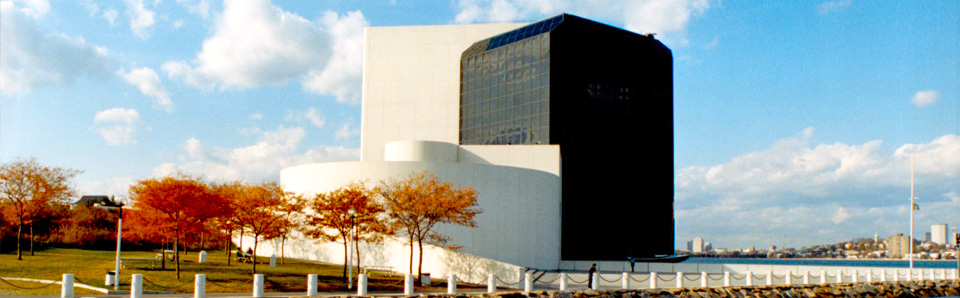

I’ve written several posts about the digital archiving effort at the John F. Kennedy Presidential Library and Museum. I’m planning to write a future post about how the archivists are using EMC products for their workflow.
Before I can write about the workflow I’d like to define the EMC-specific products (software and hardware) that are currently (and successfully) up and running.
The EMC Solution at the JFK Library includes a set of products working in concert together:
Documentum. CLARiiON. Centera. Legato.
Documentum
Documentum products provide the primary interface to the archivists preserving JFK’s legacy. These products are listed below, along with a description of how they are satisfying the requirements of the archiving efforts. All of these products are part of the Documentum ApplicationXtender family.
- Image Capture: this is the tool used to manage scanned documents and pictures from JFK’s collections. The tool directly interfaces with a scanner.
- AppGen: this tool allows the archivists to assign roles and permissions to different members of their organization. For example, a summer intern may have permission to digitally scan artifacts (via the Image Capture software), but NOT add meta-data to the scanned images.
- Document Manager: this software allows metadata catologuers to manually associate additional metadata with the scanned images.
- OCR Server: this software allows for the automated creation of additional metadata via optical character recognition (OCR) software.
- WebXtender: this software will ultimately allow for the archival content to be displayed via the web.
CLARiiON
A CLARiiON CX300i is used as the primary store for content generated by Documentum applications. There are a number of servers connected to this CLARiiON, and each server has a different role. For example, one server is dedicated to storing the Documentum database, while another server is responsible for storing scanned images. SAN techniques are used to partition the storage to each server via the iSCSI protocol.
Given the HUGE amount of data being generated during this effort, the CLARiiON is primarily serving as a CACHE for the enormous amount of scanned images and metadata. It serves as a local, fast repository for the currently active scanning process, but it is just the initial landing place of the content (with Centera serving as the ultimate tier, see below).
The CLARiiON is of course serving as the primary and only tier for data that is not archival (e.g. operational or configuration files required for Documentum and other software to run).
Centera
Centera is the ultimate resting place for the archival content. Legato DiskXtender, described below, is the orchestrator of moving the archival content between tiers. Centera is an “object-based” storage system. It does not natively provide a file system API. It does not natively provide a SCSI-based block protocol. Instead it accepts fixed content (e.g. scanned images) as a stream of bytes and returns a content address based on a cryptographic hash of the content. I’ve written a series of posts on Centera which can be found here.
One of the strong selling points of Centera in any digital archiving process is its capacity upgrade strategy. This aspect has already come into play during the JFK archiving effort. The Centera became “full”, and additional “storage nodes” were added without the need for the archivists to run provisioning software. Centera presents a “flat address space for objects”. There is no need to “bind or extend LUNs” or “create or extend file systems” when a capacity limit is reached. This is indeed a critical consideration for digital curators that lack training in storage technologies.
Centera content addresses are also a key differentiator in any digital archiving process, because they can conclusively “prove” that the content is authentic and has not been tampered with since its initial ingest.
Legato
Two Legato products are used as part of the JFK Library solution. The first one is Legato Networker. The JFK Library has chosen to back up its scanned images to tape. This results in three copies of the artifacts: (1) the originals, (2) the Centera, (3) tape backups.
The second Legato product is the afore-mentioned DiskXtender. Legato DiskXtender is the bridge between the CLARiiON and the Centera. DiskXtender has a policy engine which moves recently scanned content to the Centera on a daily basis, and it also re-stages the content back to the CLARiiON when needed.
The DiskXtender software allows the required amount of CLARiiON storage to remain small. The archivists at the JFK Library do not have to continually add storage to the CLARiiON and run Navisphere configuration tools to initialize the new storage. It is worth re-emphasizing that this is a huge benefit for digital curators that lack storage training.
Quite A Setup
This configuration is state-of-the-art. From the robust suite of tools provided to archivists by Documentum, to the dual-tiered benefits of Centera and CLARiiON, to the data migration, backup, and mobility features provided by Legato, it’s a smooth operation.
I’d welcome questions or comments to clarify and discuss the solution. My next post will contain more specific details of how Documentum products get used during the archival process.
Steve



I have quick comment/question on centera as it relates to documentum. I have a client who is using centera to store all records. They have setup 4 nodes on centera and provided me with the IPs to each node. Do I need to create the documentum storage object with all 4 nodes as the parameter? Or do each node represent a separate area in centera?
Additionally, if different docbases required unique physical “containers” to separate where records are physically stored — could we use the same centera to achieve this?