
In my last post I wrote about the ingest of data into Atmos, how it maps to a policy to determine locations and number of copies, and how it places the data based on a filled-in policy tree (an LSO). My example was based on the fact that a specific user (e.g. “joe”) was storing the data.
Placement and movement policies can also be based off of user-supplied metadata tags.
TSA-2 asked where this type of metadata comes from <that would be Chris The Storage Architect, not the Barry the Anarchist ;>)>
The metadata will come from applications that integrate with the Atmos API and have designed a metadata tagging strategy for global policies.
The Atmos SOAP API serves as a good starting point for discussion.
SOAP API for The Data
The CloudFellas video describes using Atmos for global, policy-based management of video clips. A given video clip is referred to in the Atmos SOAP API as a “COS Object”, for cloud-optimized storage.
Here are some of the more self-explanatory SOAP APIs for dealing with a COS Object:
- CreateObject
- DeleteObject
- ReadObject
- UpdateObject
- VersionObject
- SetUserMetadata (described below)
There are other object APIs, but these six give a good feel for Atmos objects. Assuming that no user metadata is associated with an object (e.g. the video clip), Atmos attaches some default metadata to the object as well. This system metadata will probably look familar to developers:
- atime
- mtime
- ctime
- uid
- gid
- size
Adding User Metadata
The addition of user metadata to a COS Object is a straightforward affair; the application specifies “name=value” pairs. For example, a soap snippet for “year=2008” looks as follows.
<Metadata>
<Name>year</Name>
<Value>2008</value>
</Metadata>
Atmos also allows hierarchical metadata fields, e.g.
<Name>year/month/day</Name>
User metadata can be added at object creation time, or via the SetUserMetadata SOAP call mentioned previously.
There are other metadata constructs, such as tagging, that allow applications to “index” objects. Enabling tags is accomplished via a simple boolean (true/false) attached to each name value-pair.
Triggering Policy
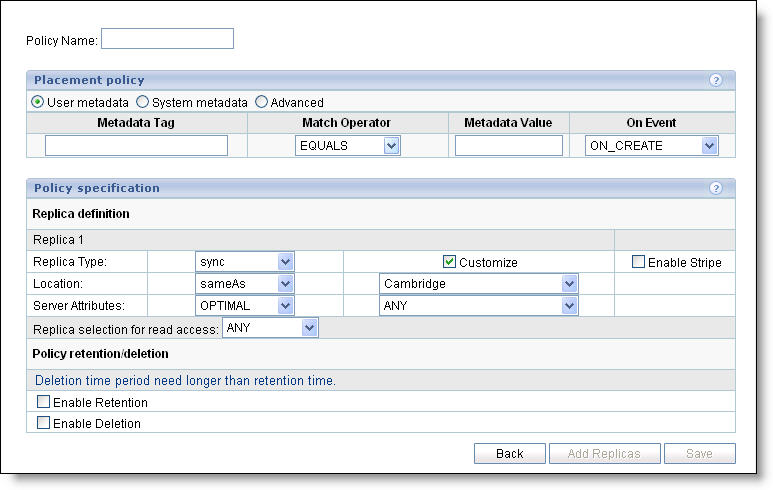
When objects and associated meta-data are introduced into the Atmos system, they are not targeted at file systems or LUNs. They are “thrown into the cloud”. The metadata attributes can map to a policy that has been set up beforehand. The screen shot below shows how a policy can be created which triggers off of metadata attributes.
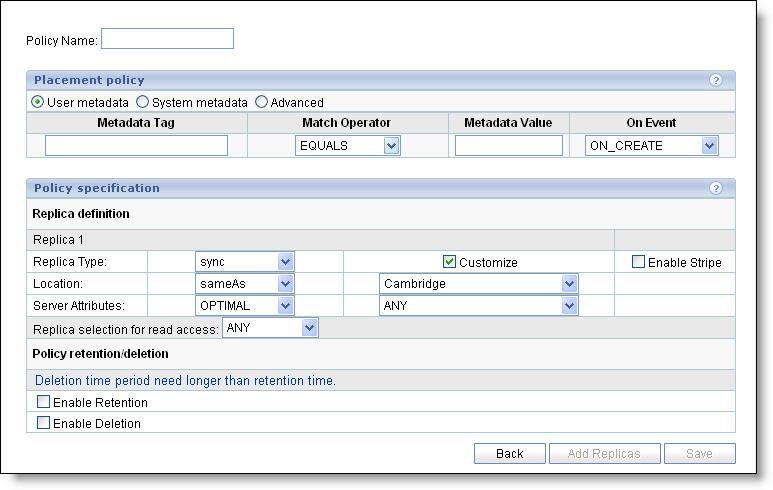
What does this screen ultimately end up generating? The LSO I described in my previous post. This LSO ultimately assist in the placement of new content and/or migration of objects to new/additional locations.
The SOAP/REST Atmos API allows for straightforward metadata tagging; the policy piece builds on this simplicity.
How about file system ingest with Atmos? Remember that by default Atmos will append “system metadata”, and policies can be built on top of system metadata just as easily as user metadata (note the radio button for system metadata at the top of the screen shot).
Steve



Steve,
Why is Atmos using another proprietary interface (making it SOAP based doesn’t make it any less proprietary) instead of XAM? XAM provides the same object level functionality as well as vendor metadata to encapsulate your placement policy. Seems like it would be a great fit!
Regards,
Jered Floyd
CTO, Permabit Technology Corp.
Hi Jered,
That’s a good question. Two reasons: timing and market overkill. Timing-wise, Atmos was well into development as the XAM spec was forming. Market-wise, (for the market that Atmos was going after) a full implementation of XAM would have been overkill. The ability to support multiple XStreams was not needed. Implementing binding vs non-binding was not needed.
All that was needed for Atmos was the ability to attach a small number of name/value pairs to ONE (and only one) object. Frequent object edit is expected to be common as well (which is not the best use case for XAM and therefore harder to implement).
Having said that, I am in complete agreement with you that XAM and Atmos are a great fit and am involved with their combination!
Steve