
Over the past several weeks I’ve been taking a historical look at the evolution of backup and recovery software. The discussions I’ve been having with Stephen Manley and Mark Twomey (both from EMC’s Backup and Recovery division – BRS) focus on a period in time roughly 10 years ago. Data centers were being built using block, file, and object storage systems, and products such as Legato DX and Legato NetWorker innovated on top of this physical infrastructure.
At the time it was all physical.
Fast forward 10 years, and the BRS team continues to innovate. But this time it’s not on top of physical infrastructure, but virtual. Customers building cloud deployments have a choice of their cloud management platform, and the BRS product suite has been seamlessly integrating with all of the popular platforms of choice.
Being that this week is VMworld, however, I thought I’d catch up with Stephen to find out what are the new touch points between BRS and the VMware infrastructure. I asked him: “What has the translation from physical to virtual meant for our customer’s backup processes?”
Here’s what Stephen had to say about how the game has changed from physical to virtual:
Virtualization has been a catalyst for
data protection transformation.
Before VMware, customers had to
choose between traditional backups (feature rich, but slow) and array-level
snapshots and replicas (limited functionality, but fast). To meet their SLAs,
they were increasingly forced to deploy both approaches. Meanwhile, regardless
of the approach, server administrators had no data protection visibility
because everything was controlled by the backup or storage teams.
Virtualization changed
everything. The density caused by virtualization made traditional backups so
slow as to be unusable. The granularity of VMs made array level protection even
less functional. Customers found themselves protecting storage containers that
contained many VMs, instead of the VMs themselves – complicating scheduling,
retention, and recovery.
In response, VMware created two
optimizations:
–
Changed Block
Tracking: By tracking new data as it is created, VMware makes it possible for
any protection technology to take seconds or minutes, instead of hours. In
other words, VMware made replication-level performance available
independent of the storage array.
–
vSphere protection
interfaces: This enabled the VM admin to have visibility and control into the
data protection, instead of blindly trusting the backup or storage team.
As a result, EMC can now enable IT teams to deliver Data Protection as a Service for their
virtualization environments:
–
Converged Backup and
Disaster Recovery – Create protection copies in seconds/minutes on separate
protection storage. Roll back VMs in seconds. Instant access to VMs if the
original VM is destroyed. Granular object/file recovery. Central catalog and
policy management.
–
Storage independent
– Works if the VM is on any type of primary storage. No need for the snap &
replicate vendor lock in.
–
VM admin visibility,
Central Protection Team Control –VM admin can run their own backups and
restores via a vSphere interface. Central protection team still oversees all
protection and policies.
At VMworld this week I’ve decided to find some demonstrations of what Stephen mentions above. I’ve found at least two specific examples on the demo floor. One of them is applicable to VM adminstrators, and one of them is applicable to data protection administrators.
Integration with vCenter Operations and LogInsight
Avamar has a rich set of statistics that always had high value in the physical realm. In a VMware context, tools such as vCenter Operations and LogInsight allow the VM administration team to get detailed looks at statistics such as:
- Amount of space consumed per O/S (windows or
LINUX) - Biggest consumers of space in the backup
appliance. - What is the schedule of backups (e.g. the backup window)?
- How many VMs were successfully backed up and how many experienced failures.
- Failures can be more deeply analyzed
- What are the names of the VMs that failed to be backed up?
- Which virtual backup appliance experienced the failure?
- etc.
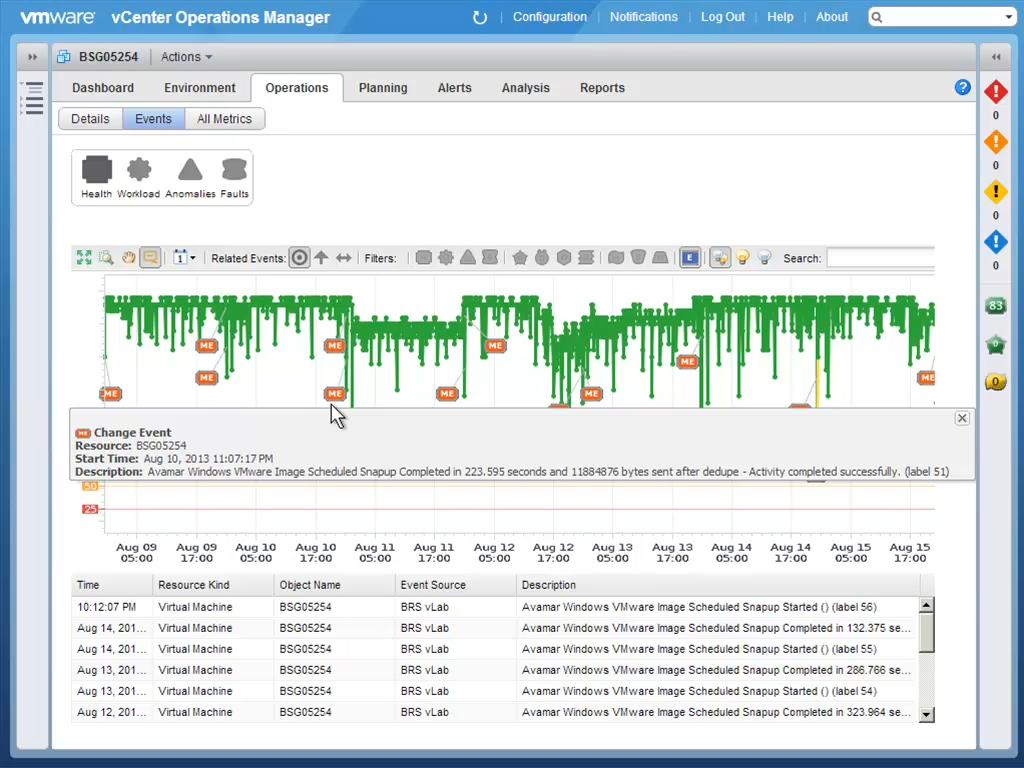
Perhaps one of the cooler features is the plot of VM activities, where backup and recovery events are integrated into and plotted on top of the timeline (see the chart below).
For a deeper dive in this area, I recommend blog posts by vElemental (and his follow-on post) and Chad Sakac.
Backup as a Service, Restore as a Service
One of the main benefits of virtualization from the backup perspective is that cloud deployments can offer customers backup and restore as cloud services. If you get a chance to see a demo of how BRS assets accomplish this as part of the VMware framework, check it out. Here are some of the highlights:
- Cloud providers can providing backup/restore-as-a-service for their tenants. With BRS assets, these cloud backup/restore architectures can be private, public, or hybrid.
- The tools allow for backup policies to be assigned per vApp. Tenants can opt-in for whatever policy is default for the VDC, or they can customize.
- The backup policies are stored as VMware metadata (e.g. scheduler, retention policies).
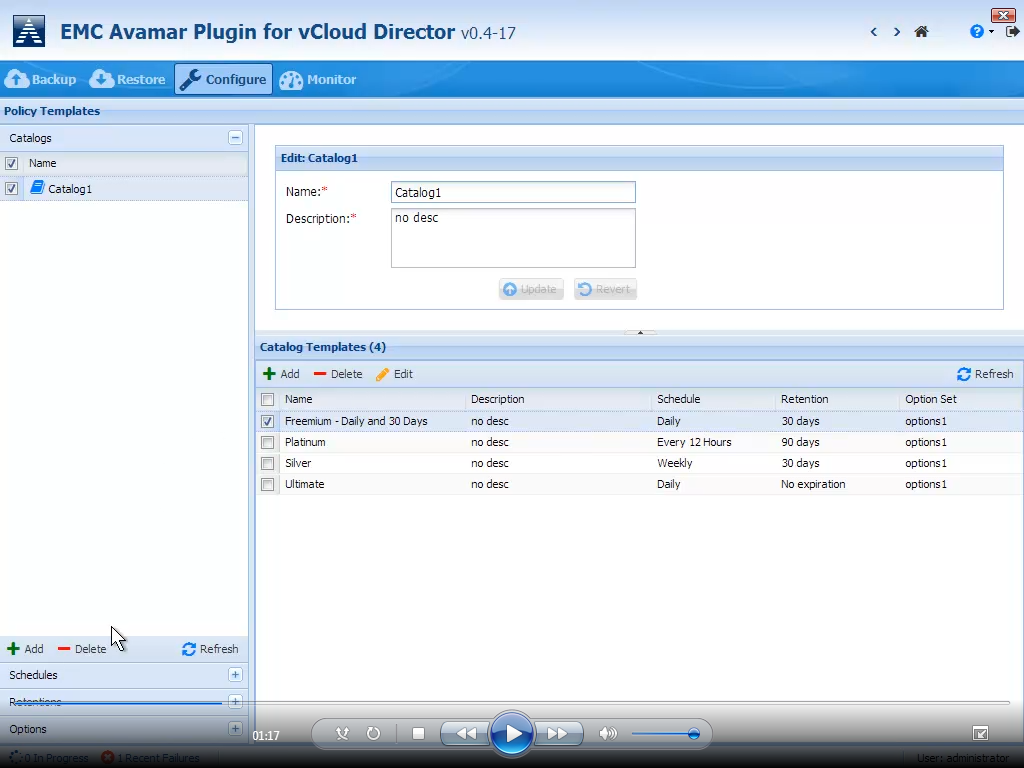
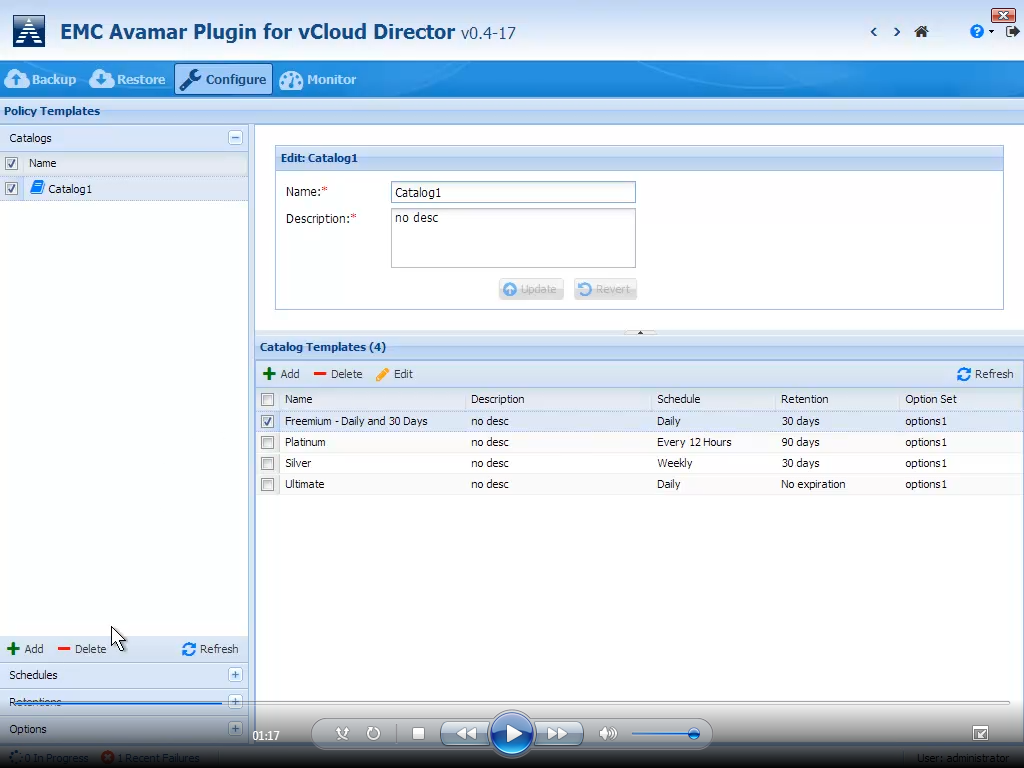
- The metadata catalogue includes policy templates, such as freemium, bronze, silver, and gold.
- There are administration capabilities to create backup gateways/appliances, which can be shared, distributed or federated based on need.
- vCloud Director ensures, through authentication and authorization, that the tenant only sees their own backup environment
- Puppet can be used to deploy and configure for public/hybrid cloud use cases
Below is a screen shot of policy templates as part of the Avamar Plugin for vCloud Director:
These VMware and EMC assets allow customers to transform their data protection environment. In addition to visiting the BRS booth at VMworld, I strongly recommend attendance at Yossi Saad’s Data Protection talk at 4PM on Tuesday at Moscone West Room 3007.
Chad’s also got a great new post on VMware next-gen backup.
And finally, don’t miss Stephen Manley himself at the EMC BRS Meetup, Wednesday, 1:55 p.m. PT, Booth #1207.
Steve
EMC Fellow